

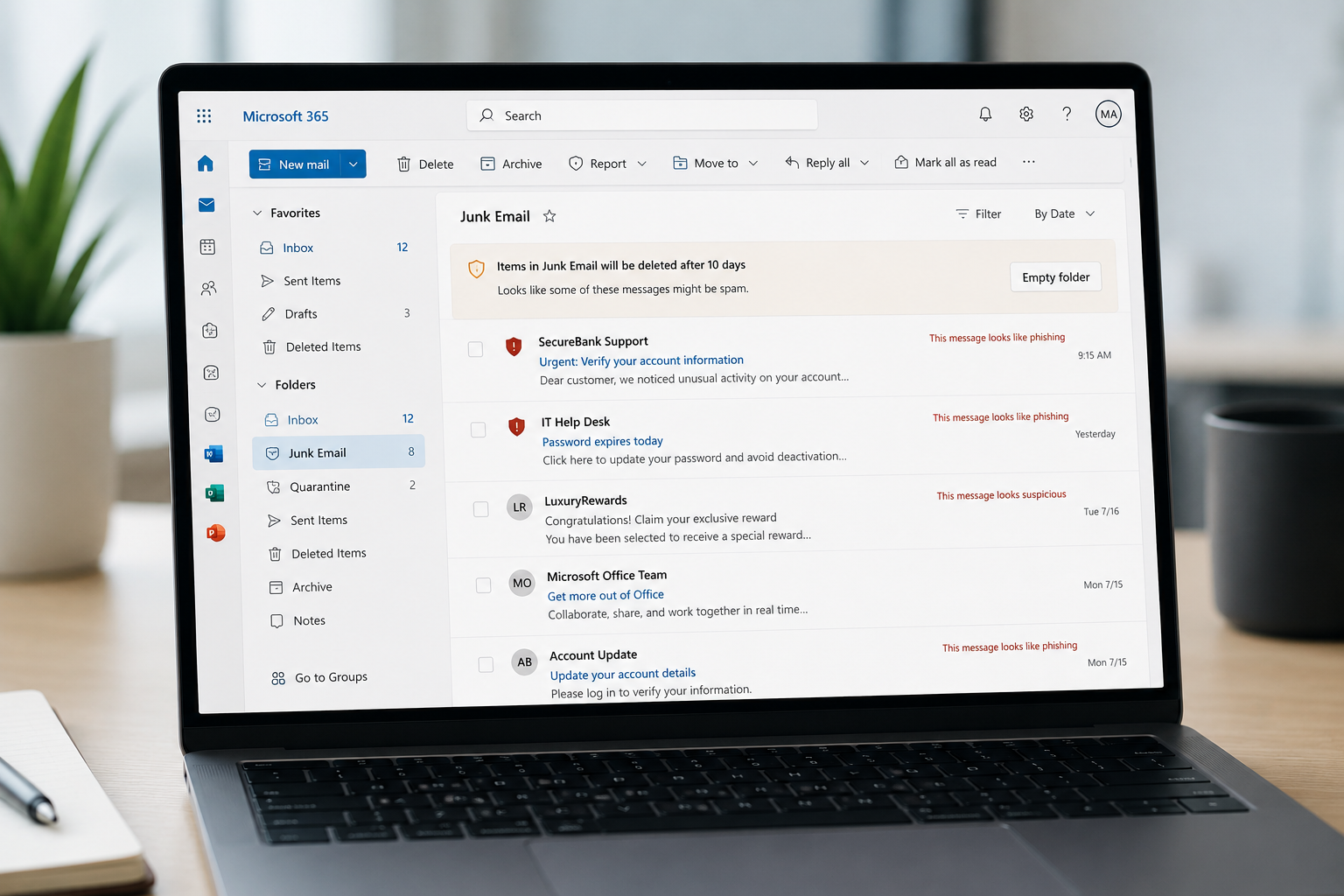
AI Has Changed Phishing. Email Security Must Change Too.
For decades, spam filters have served as the frontline defense against malicious emails. They were highly effective at identifying suspicious links, dangerous attachments and other known threats.
But the rise of artificial intelligence (AI) has made threats like phishing much harder to detect. This poses a critical and growing security risk that every business needs to address right now.
The Shift from Malicious Code to Human Manipulation
Today’s attackers can use AI tools to produce highly personalized, professionally written emails that closely mimic the tone and language of legitimate business communications. In many cases, these messages contain no malware or attachments that traditional email filtering systems were designed to catch.
This new generation of attacks, often referred to as AI-powered phishing or AI business email compromise (AI BEC), focuses less on exploiting technology and more on exploiting human trust. These threats have become so sophisticated that some are even getting past multifactor authentication, according to a recent FBI warning.
As phishing evolves, organizations must reconsider whether their existing email defenses (and their employees) are capable of detecting a threat that looks and sounds exactly like a normal business conversation.
Are Your Inboxes Protected Against AI Email Threats?
Invenio IT helps businesses protect against advanced email threats like phishing and AI-powered business email compromise (BEC).
Schedule a Security Review →How Traditional Spam Filters Work
To understand why AI-generated phishing emails are so difficult to stop, it helps to understand how conventional email filtering technologies, such as Secure Email Gateways (SEGs), were originally designed.
Most legacy email security solutions rely on a combination of techniques, including:
Reputation-Based Filtering
Email filters maintain databases of known malicious IP addresses, domains and senders. Messages originating from sources with poor reputations can be automatically quarantined or blocked.
This approach remains extremely effective against large-scale spam campaigns, but it is less effective when attackers compromise legitimate accounts or create new domains specifically designed to imitate trusted organizations.
For example, an attacker might register a domain like:
- microsoft-support.com
- company-payments.com
While these domains may appear suspicious to a person reviewing them carefully, they may not yet have a poor reputation because they are newly created.
Signature and Rule-Based Detection
Traditional filters also look for patterns associated with malicious emails, including:
- Known malware signatures
- Suspicious file types
- Certain keywords or phrases
- Unusual email headers
- Links to known malicious websites
The challenge now is that AI allows attackers to continuously rewrite messages. Older phishing campaigns often contained obvious mistakes, whereas today’s AI-generated phishing emails look incredibly convincing.
Here’s a basic example:
- Pre-AI Phishing: “Dear Employee, please click here to update your benefits.”
- AI-Generated Phishing: “Hi Dale, I saw your recent post about the successful Q3 marketing push in Chicago—great work! HR is finalizing the new Q4 benefits packages for the marketing team. Can you review this summary to ensure your dependents are still correctly listed?”
To a traditional spam filter, the second email looks entirely benign. There are no known malicious keywords, the grammar is perfect and the text reads exactly like standard internal corporate communication. By eliminating the traditional markers of spam, AI allows these emails to glide effortlessly past legacy filters.
This leaves the deception entirely on the recipient.
How Social Engineering Slips Through Filters
Historically, many email security systems were designed around the assumption that malicious emails would contain a technical indicator of compromise.
For example:
- A malicious attachment containing ransomware
- A link directing users to a fake login page
- Embedded code designed to exploit a vulnerability
Those threats do remain common. However, many of today’s most damaging email attacks rely on social engineering instead.
A business email compromise attack may simply ask an employee to:
- Transfer money to a fraudulent account
- Purchase gift cards
- Change payroll information
- Share confidential documents
- Reveal sensitive company data
The email itself may contain nothing inherently malicious.
This is why AI represents such a significant advancement for cybercriminals. Generative AI can quickly produce emails that mimic professional communication styles, adapt messages to specific targets, and remove many of the grammatical errors that previously served as red flags.
Why Keyword Detection is No Longer Enough
Many traditional filtering approaches rely on identifying suspicious words or combinations of words.
For example, an email containing any of the phrases below might be filtered out of the inbox before a user even sees it:
- “urgent action required”
- “verify your password”
- “click this link”
- “your account has been suspended”
But modern attackers understand these detection methods. AI allows them to rewrite the same request in countless different ways.
- Instead of saying: “Your password will expire immediately. Click here to reset.”
- An attacker might write: “Our IT team noticed an issue during the latest security synchronization. Please review your account settings at your earliest convenience.”
The intent is the same, but the wording now has more context and more specifics, without incorporating the “red flags” that keyword-filters scan for. This makes static rules increasingly ineffective because they attempt to detect specific phrases rather than understand the underlying purpose of the communication.
Traditional Spam Filters vs. AI Phishing
| Traditional Spam Filters Look For | How AI-Generated Phishing Bypasses It |
| Poor grammar, spelling mistakes, and unnatural language | AI produces polished, professional emails that closely resemble legitimate business communication |
| Suspicious keywords or phrases | AI can rewrite the same scam in countless ways, avoiding static keyword-based rules |
| Known malicious links and domains | Attackers use new domains, compromised accounts, or requests that contain no links at all |
| Malware attachments or dangerous file types | Many business email compromise attacks contain no attachments or malware |
| Unusual email formatting or obvious scam characteristics | AI can mimic corporate tone, email signatures, and professional formatting |
| Messages sent from known bad senders | Impersonation attacks may use lookalike domains or compromised trusted accounts |
| Large-scale spam patterns | AI enables highly targeted, personalized attacks that may only be sent to one employee |
The New Security Requirement: Understanding Context and Intent
The next generation of advanced email security must move beyond analyzing whether an email contains a known threat.
It must answer more sophisticated questions:
- Is this sender actually who they claim to be?
- Does this email match the sender’s normal communication behavior?
- Is the message requesting an unusual financial transaction?
- Is there a sense of urgency designed to bypass normal procedures?
- Is the sender impersonating an executive, vendor, or trusted organization?
- Does the email contain visual elements designed to imitate a legitimate brand?
This approach is often described as contextual analysis.
Rather than simply looking for bad words or malicious files, advanced email security systems evaluate the broader meaning and intent behind a message.
Consider an email like this, for example:
“Please process a confidential payment before the end of the day and don’t discuss this with anyone else.”
This email may be suspicious not because of any single keyword, but because the combination of secrecy, urgency and a financial request matches common business email compromise techniques.
Today’s email security tools need to recognize these warning signs and interpret them with greater precision.
How Advanced Email Security Identifies AI-Powered Phishing
Because legacy SEGs are struggling, a new breed of Integrated Cloud Email Security (ICES) solutions has emerged. To effectively secure a modern business environment against AI BEC, organizations are moving toward platforms that utilize multi-layered, AI-native analysis.
Rather than relying on static blocklists, modern frameworks—such as those integrated into INKY email security—deploy an array of active, intelligent countermeasures. These solutions evaluate threats the way a highly trained human security analyst would, but at machine speed.
Here is how modern email defense bridges the gap left by legacy filters:
1. Intent Analysis and Natural Language Processing (NLP)
Instead of looking for specific banned words, modern security uses advanced Natural Language Processing to read and comprehend the actual intent of an email. The AI understands sentence structure, tone and the underlying request.
Even if the email contains no malware or obvious indicators of compromise, its intent may still be dangerous.
A modern security system may recognize that a message is attempting to:
- Create urgency
- Request sensitive information
- Initiate a payment
- Circumvent normal procedures
If an email is asking for a change in payroll routing, requesting a wire transfer, or trying to instigate urgency regarding a password reset, the NLP engine recognizes the intent of a BEC attack, even if the hacker has used entirely novel phrasing generated by an LLM.
2. Impersonation Detection
Business Email Compromise relies heavily on impersonation—either spoofing a domain (e.g., using @rnicrosoft.com instead of @microsoft.com) or display-name spoofing (where the email says it is from “John Doe, CEO” but the underlying address is a random Yahoo account).
Advanced AI maps the organization’s social graph to spot these discrepancies instantly. By utilizing stylometry—the study of linguistic style—machine learning can even detect when an email purportedly from the CEO does not match the CEO’s historical writing patterns.
Modern systems can identify signs that an attacker is attempting to imitate a company executive, vendor, colleague, or well-known organization.
This includes examining:
- Display names
- Sender addresses
- Domain similarities
- Communication patterns
- Historical relationships between senders and recipients
3. Computer Vision and Brand Analysis
One of the most innovative ways threat actors bypass text-based filters is by hiding their text inside images or perfectly recreating the visual layout of a trusted brand.
Many phishing emails attempt to appear legitimate by copying:
- Company logos
- Email formatting
- Brand colors
- Signature blocks
For example, a phishing email might look exactly like a standard Microsoft 365 login prompt or a Chase Bank notification.
Modern security utilizes Computer Vision—the same technology used in self-driving cars—to “look” at the email as a human would. The AI renders the email in a sandbox, examines the logos, brand colors and visual layout. It then cross-references them against known brands. If an email looks exactly like a Microsoft login page, but the underlying sender domain and links do not match Microsoft’s actual infrastructure, the system immediately recognizes the forgery.
4. User-Facing Warning Banners
Perhaps the most significant flaw in legacy spam filters is their binary nature: an email is either blocked entirely, or it is allowed into the inbox with implicit trust. But cybersecurity is rarely black and white.
Modern solutions like INKY prioritize user empowerment through dynamic warning banners. Instead of silently quarantining a message that falls into a “gray area,” these systems deliver the email but inject an un-spoofable, color-coded banner at the top of the message.
These alerts can inform users that:
- The sender is external.
- The sender may be impersonating someone.
- The message contains unusual financial requests.
- The email demonstrates characteristics associated with phishing.
For example, here’s how INKY delivers these warnings within each email message:
- Red Banner: Alerts the user to extreme danger (e.g., “This email claims to be from your CEO, but originated from an external server.”)
- Yellow Banner: Cautions the user about unusual requests (e.g., “First-time sender. This email contains a request for financial information.”)
- Gray/Safe Banner: Reassures the user that the sender has been authenticated.
These banners provide crucial, in-the-moment context. They serve as continuous security awareness training, teaching employees why an email is suspicious right at the point of interaction, significantly reducing the chance of a successful social engineering attack. (For more information or a custom quote, request INKY email security pricing for your organization.)
Why Security Awareness Training is Still Important (But Needs Reinforcement)
To be clear, organizations should continue training employees to recognize phishing attempts. However, the old advice—”look for spelling mistakes and strange grammar”—is no longer enough.
AI can produce flawless emails. Employees now need to look for behavioral red flags, such as:
- Unexpected requests for money
- Changes to payment instructions
- Requests involving secrecy
- Pressure to act quickly
- Requests that bypass normal approval processes
Technology must reinforce these lessons by identifying suspicious intent and providing real-time warnings, as tools like INKY do.
The Bottom Line
Traditional spam filters and Secure Email Gateways did exactly what they were designed to do: block known, static threats. But in the era of generative AI, the threat is no longer static. Cybercriminals are utilizing AI to craft contextually perfect, highly targeted, zero-payload emails that easily bypass rule-based defenses.
Legacy email filtering is simply not enough to stop today’s AI-driven email threats. To secure the modern inbox, organizations must transition to intelligent, dynamic defense systems that analyze intent, spot visual impersonation, and rely on contextual behavioral mapping rather than a list of bad words.
As the attackers upgrade their arsenals with artificial intelligence, it is imperative that businesses upgrade their defenses to match.
Frequently Asked Questions
1. Why are phishing emails generated by AI so real?
AI eliminates traditional spam indicators like bad grammar and awkward phrasing. By processing massive datasets, Large Language Models can flawlessly mimic professional brand tones, corporate vernacular and specific relationship contexts, making the message virtually indistinguishable from a legitimate business communication.
2. How can I tell if an email has been AI-generated?
Look for contextual inconsistencies: an uncharacteristic writing style from a known contact, unusual timing or subtle domain mismatches. Advanced security tools can also be used to help spot forged logos and brand layouts that escape the human eye.
3. What is the biggest red flag for a phishing email?
The ultimate red flag is an unexpected request involving financial transactions, credential updates or sensitive data access, especially when paired with artificial urgency. If a message pressures you to bypass standard organizational verification protocols, treat it as a malicious social engineering attempt.
4. How to prevent AI phishing?
Upgrade from legacy static filters to modern email security tools like INKY, which uses behavioral and intent analysis, paired with dynamic, real-time warning banners to alert users to inbox anomalies. Additionally, enforce strict, out-of-band phone verification policies for any operational or financial changes.
Don’t Leave Your Guard Down. Get the Email Protection Your Business Needs.
Get more information on how to deploy a multilayered cybersecurity strategy with solutions like INKY email security and BullPhish ID employee training & simulations. Schedule a call with one of our security experts today, or contact us by calling (646) 395-1170 or emailing success@invenioIT.com.


