

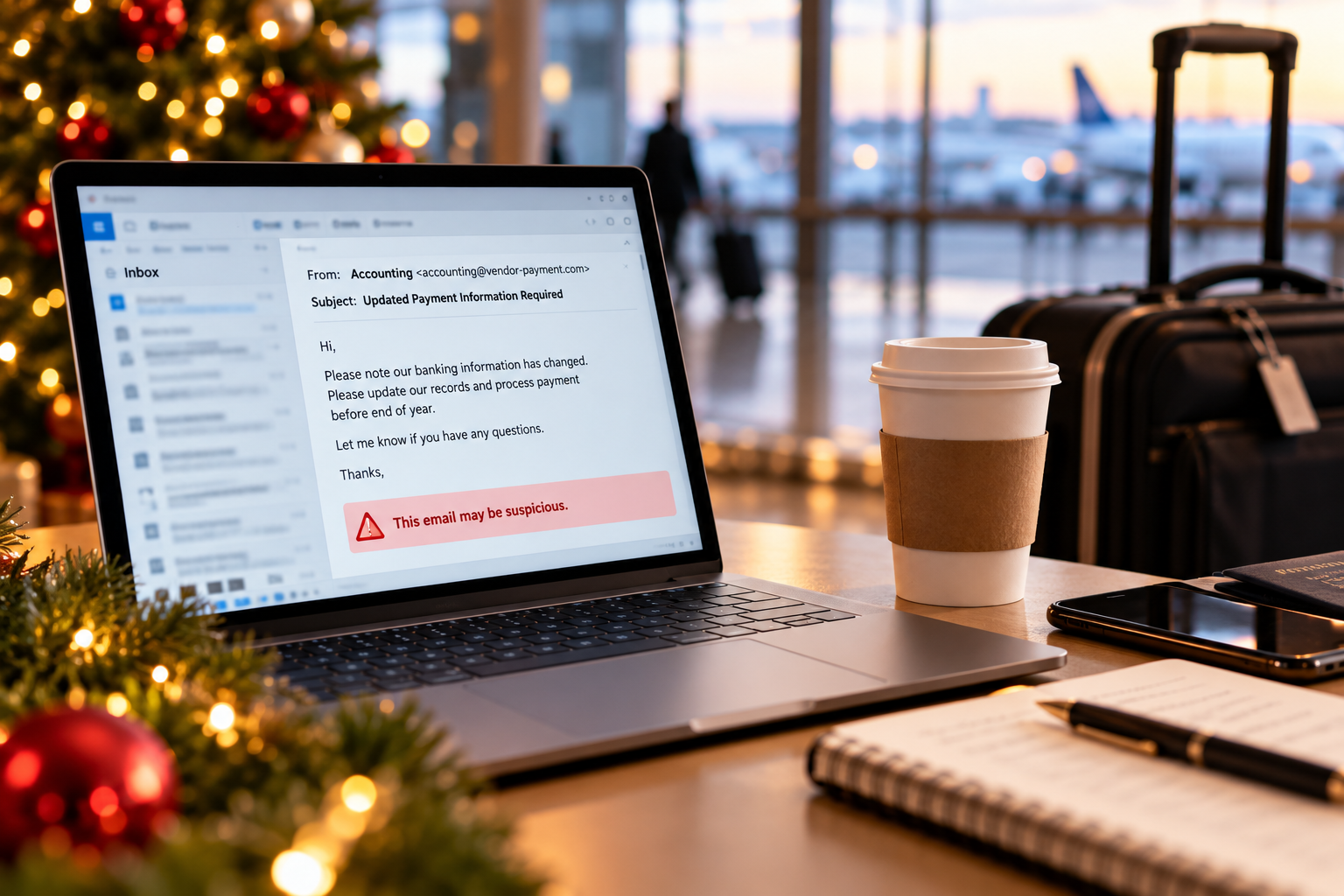
Your accounting manager is on vacation. The IT director is traveling. Half the office is trying to finish projects before the holiday break, and everyone else is covering responsibilities that aren’t normally theirs.
Then an email arrives from a familiar vendor requesting updated payment information before year-end.
The request looks legitimate, but the person who would normally verify it is unavailable. The employee covering for her doesn’t want to delay an important payment, so they make the change.
Nothing about this situation is particularly unusual. That’s what makes it concerning.
Holiday cybersecurity risks aren’t limited to employees clicking suspicious links or falling for seasonal scams. They also emerge when businesses operate with fewer people, different responsibilities and less oversight than usual.
Security procedures that work perfectly well during a normal week may become harder to follow when key employees are unavailable. And if those procedures depend too heavily on one person, a holiday absence can reveal weaknesses that have been there all along.
Before employees head out for the holidays, it’s worth asking a different question: Will our cybersecurity protections still work when the people who normally manage them aren’t here?
1. A routine payment request can become a cybersecurity incident
Business email compromise is particularly concerning because an attack doesn’t necessarily begin with an obvious phishing message. It may involve a familiar vendor, an existing invoice or an email conversation that appears completely legitimate.
Imagine a manufacturing company preparing to close its books for the year. An accounts payable employee receives updated banking instructions from a supplier. The message references an actual invoice, uses the supplier’s usual signature and explains that the change needs to be processed before the holiday shutdown.
Normally, the accounting manager would confirm the change directly with the vendor. But she’s away, and the employee handling her responsibilities doesn’t know the verification procedure.
The payment is processed. Days later, the real supplier calls to ask why the invoice remains unpaid.
This is a hypothetical example, but the underlying fraud method is well documented. The Federal Trade Commission’s guidance on business scams emphasizes establishing clear procedures for reviewing invoices and approving payments. <Cite refs={[“turn502485search2”]}/>
The solution isn’t to tell employees to be more suspicious during December. It’s to establish verification requirements that remain in place regardless of who’s working.
Changes to payment information should be confirmed through a trusted communication channel, using contact information already on file rather than details supplied in the request. Employees covering for someone else should know who has approval authority and what to do when that person is unavailable.
A deadline, even a legitimate one, shouldn’t override the process.
2. Holiday phishing scams are more convincing when they resemble normal business
Most employees know to be cautious about suspicious delivery notifications, holiday promotions and unexpected attachments. But business-related phishing attacks don’t always resemble the seasonal scams people have been trained to recognize.
Consider an employee receiving a message that appears to come from the CEO, who is traveling for the holidays. The email asks for an updated employee directory to share with a consultant before a January meeting. The timing makes sense, the language sounds professional and the request doesn’t immediately seem unreasonable.
The employee may not realize that the sender’s address has been spoofed, or that the legitimate account has been compromised.
Attackers can also use artificial intelligence to create convincing messages, impersonate business contacts and remove some of the traditional warning signs employees have been taught to look for.
As we discussed in our article, Phishing Scams Have Changed. Has Your Security Kept Up?, businesses can no longer rely on spelling mistakes, unusual formatting or obvious suspicious links to identify every attack.
That makes verification procedures and technical protections increasingly important.
For example, requests involving confidential information, financial transactions or changes to account permissions should require independent verification, even when the sender appears familiar. Email security tools can help detect and block threats, while multifactor authentication and appropriate access controls provide additional layers of protection.
The goal isn’t to make employees question every routine message. It’s to make sure that a convincing message alone isn’t enough to authorize a sensitive action.
3. Security alerts don’t take a holiday
Most businesses have some combination of firewalls, endpoint protection, email security and other monitoring tools designed to detect suspicious activity.
But what happens when those tools generate an alert while the person responsible for reviewing it is away?
Imagine a professional services firm with employees working remotely during the last week of December. Late one evening, a compromised employee account begins attempting to access files it wouldn’t normally use. A security platform flags the activity, but the notification goes to an IT administrator who is on vacation.
The alert exists. The technology did its job. But nobody is available to investigate.
This illustrates an important distinction between having security tools and having effective security coverage.
Before the holidays, businesses should confirm who is responsible for reviewing alerts, whether those individuals will be available and how serious incidents will be escalated. If monitoring is handled by an outside provider, confirm the coverage arrangements and emergency contact procedures.
It’s also important to know what happens after a threat is detected. Who can disable a compromised account? Who has authority to isolate an affected device? Who communicates with leadership if an incident disrupts operations?
These questions belong in an incident response plan, not in a last-minute group text when something goes wrong.
The Cybersecurity and Infrastructure Security Agency’s phishing guidance addresses response measures such as securing compromised accounts, reviewing account activity and isolating affected devices. <Cite refs={[“turn502485search37”]}/>
Those actions require both technical capabilities and people who know when and how to use them.
4. Vacation coverage can create unnecessary access risks
When employees are away, their responsibilities don’t necessarily disappear. Someone else may need to process invoices, retrieve customer information, approve purchases or access applications they don’t normally use.
Granting temporary access is often necessary. The problem arises when convenience replaces normal access management procedures.
For example, an employee covering for a department manager might need access to a shared reporting folder. Rather than granting access to the specific files required, someone gives them broad permissions across the department’s systems. The employee completes the assignment, the manager returns and nobody remembers to remove the additional access.
What began as a temporary accommodation becomes a permanent security exposure.
A similar problem occurs when employees share login credentials to avoid requesting access through the proper channels. Shared credentials make it harder to determine who performed an action and can weaken accountability and security controls.
Businesses should follow the principle of least privilege: employees receive only the access necessary to perform their responsibilities.
For holiday coverage, that means documenting who needs additional permissions, limiting access to the appropriate systems and reviewing those permissions when normal staffing resumes.
It’s also worth examining whether employees can perform essential duties without relying on another person’s account. If a business process requires password sharing whenever someone takes vacation, that’s a problem worth fixing beyond the holiday season.
5. What if a cyberattack disrupts operations while key employees are unavailable?
Preventing cyberattacks is only part of cybersecurity preparedness. Businesses also need to consider what happens if an attack succeeds.
Imagine a healthcare practice operating with a reduced administrative staff between Christmas and New Year’s Day. An employee discovers that critical files are inaccessible, and the practice suspects a ransomware incident.
The employee knows there’s a backup system, but doesn’t know who can authorize a recovery. The usual IT contact is unavailable, and the person responsible for communicating with patients isn’t sure what information can be shared.
Even if the organization has reliable backups, uncertainty about responsibilities can delay the response.
This is where cybersecurity and business continuity planning intersect.
A disaster recovery plan should identify the systems that need to be restored, the people responsible for recovery and the procedures for responding to different types of disruptions. Those responsibilities should remain clear when key employees are away.
It’s also important to test the plan rather than assuming it will work when needed.
Invenio IT’s Disaster Recovery Scenarios Test Guide outlines practical scenarios businesses can use to evaluate their preparedness, including cyberattacks, data loss and system outages.
A holiday coverage exercise doesn’t need to be complicated. Consider asking your team to walk through a realistic scenario: A critical system becomes unavailable on December 26, and the primary IT administrator cannot be reached. Who receives the alert? Who makes the recovery decision? How are affected employees notified? And can the organization restore the system within its required recovery timeframe?
If the answers depend on someone who isn’t available, the plan needs another look.
6. Conduct a holiday cybersecurity readiness check before employees leave
A business doesn’t need another lengthy security presentation to prepare for the holiday season. A focused review of a few operational questions may be more valuable.
Start with the areas where reduced staffing could create the greatest risk:
- Payment and information requests: Are backup approvers identified, and do employees know how to verify unusual or sensitive requests?
- Security monitoring: Who is reviewing alerts during the holidays, and how are critical incidents escalated?
- Remote access: Are employees using approved devices, applications and secure connections when working away from the office?
- Temporary permissions: Have additional access privileges been documented, limited and scheduled for review?
- Incident response: Do employees know whom to contact if they suspect an account compromise, phishing attack or other security incident?
- Backup and recovery: Have critical recovery procedures been tested, and are the appropriate contacts available if systems go down?
The review should involve more than the IT department. Finance, operations, human resources and leadership may all have responsibilities that affect cybersecurity.
For example, IT can enforce access controls, but finance must define who can approve changes to vendor payment information. A security provider may monitor suspicious activity, but leadership still needs to know who has authority to make decisions during a serious incident.
The goal is to identify dependencies before employees leave, not discover them in the middle of an emergency.
For organizations that haven’t recently reviewed their continuity procedures, our Business Continuity Plan Guide and Template provides a broader framework for documenting responsibilities, recovery procedures and operational priorities.
The holidays don’t create every cybersecurity weakness. They reveal them.
It’s tempting to treat holiday cybersecurity as an employee awareness issue. Remind everyone to watch for phishing emails, avoid suspicious links and use secure connections while traveling.
Those reminders have value, but they don’t address every risk.
A business can have well-trained employees and still struggle with unclear approval procedures, inadequate security coverage, excessive access permissions or an incident response plan that depends on one person being available.
These weaknesses exist throughout the year. Holiday schedules simply make them harder to ignore.
That’s why the most useful year-end cybersecurity preparation may have less to do with another training session and more to do with confirming that essential security processes will continue to function when staffing changes.
At Invenio IT, we help businesses strengthen their cybersecurity and business continuity strategies, from protecting critical systems and data to preparing for disruptions that could affect operations.
Before your team heads out for the holidays, schedule time with an Invenio IT data protection expert to discuss your cybersecurity and business continuity preparedness.


